
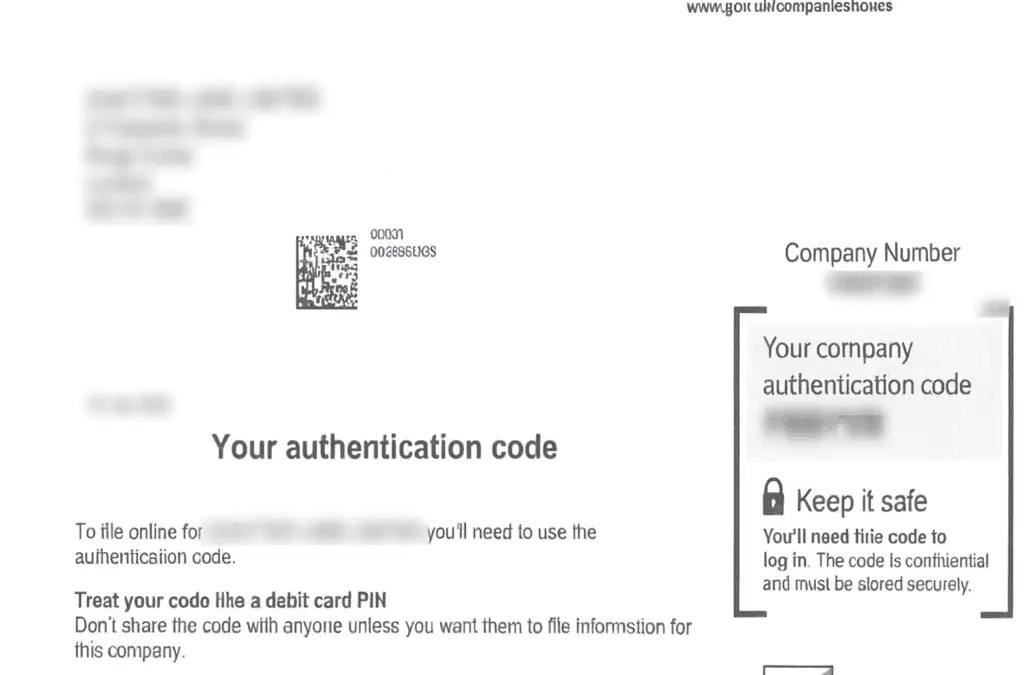
When you form a UK limited company, managing and maintaining its legal status requires attention to detail and adherence to regulatory requirements. One of the essential elements in this process is the Companies House authentication code. This unique code is crucial for submitting documents and making updates to your company’s details. In this comprehensive guide, we will explore how to find your company authentication code, how to use it effectively, and the steps to take if you lose it.
What is a Companies House Authentication Code?
The Companies House authentication code is a unique identifier assigned to each registered company in the UK. It acts as an electronic signature, allowing company directors and authorized individuals to file documents and make updates to company information through the Companies House online portal.
Why is the Authentication Code Important?
The authentication code is essential because it ensures that only authorized personnel can access and alter your company’s information. It helps maintain the integrity and security of your company’s data, preventing unauthorized changes that could potentially harm your business.
Finding Your Companies House Authentication Code
Receiving the Code When You Form a UK Limited Company
When you form a UK limited company, Companies House will send your authentication code to your registered office address. This code is typically included in the welcome package you receive, which contains important documents related to your company’s incorporation.
Retrieving the Code if Misplaced
If you have misplaced your authentication code, you can request a new one from Companies House. To do this, you will need to:
Visit the Companies House website.
Log in to your online account.
Navigate to the section where you can request a new authentication code.
Follow the instructions provided.
The new code will be sent to your registered office address within a few days.
How to Use the Companies House Authentication Code
Logging into the Companies House Online Portal
To use your authentication code, you must first log in to the Companies House online portal. Here’s a step-by-step guide:
Go to the Companies House login page.
Enter your company number and authentication code.
Click “Login” to access your account.
Filing Documents Online
Once logged in, you can file various documents and forms online, including annual returns, changes to company directors, and updates to your registered office address. The authentication code acts as your electronic signature, verifying your identity and authority to make these changes.
Making Changes to Company Information
Using the authentication code, you can update your company’s information quickly and securely. This includes:
Changing the registered office address
Appointing or removing directors
Updating shareholder information
Each of these changes can be completed through the Companies House online portal, streamlining the process and ensuring your company records are always up-to-date.
What to Do If You Lose Your Authentication Code
Immediate Steps to Take
If you lose your authentication code, it’s crucial to act promptly to secure your company’s information. Here are the steps to follow:
Contact Companies House: Notify Companies House immediately about the lost code to prevent unauthorized access to your account.
Request a New Code: As previously mentioned, you can request a new authentication code through the Companies House website.
Preventative Measures
To avoid losing your authentication code in the future, consider these preventative measures:
Store the Code Securely: Keep the code in a safe place, such as a secure digital password manager.
Limit Access: Only share the code with authorized personnel within your company.
Regularly Update Contacts: Ensure that Companies House has your most up-to-date contact information, so you can promptly receive a new code if necessary.
FAQs About Companies House Authentication Code
What should I do if I don’t receive my authentication code?
If you don’t receive your authentication code within a reasonable time after you form a UK Limited Company, contact Companies House for assistance. They can verify your details and resend the code.
Can I change my authentication code?
Yes, you can change your authentication code if you believe it has been compromised. Request a new code through the Companies House online portal, and it will be sent to your registered office address.
How long does it take to receive a new authentication code?
Typically, it takes a few days for a new authentication code to arrive at your registered office address. If there are delays, contact Companies House for further assistance.
Is the authentication code the same as my company registration number?
No, the authentication code is different from your company registration number. The registration number is a unique identifier for your company, while the authentication code is used for online filings and updates.
Can I file documents without the authentication code?
No, the authentication code is required for filing documents and making updates online. Without it, you cannot access the Companies House online portal.
What happens if someone else gains access to my authentication code?
If you suspect someone has gained unauthorized access to your authentication code, contact Companies House immediately to secure your account and request a new code.
The Companies House authentication code is a vital tool for managing your UK limited company. From filing documents to updating company information, it ensures that only authorized individuals can make changes. Understanding how to find, use, and protect this code is crucial for maintaining your company’s integrity and security after you form a UK limited company. Should you lose your code, prompt action and preventative measures can mitigate potential risks. Stay informed and proactive to keep your company’s information safe and up-to-date.